
How DealerAssist Works for Car Dealerships
You pick a template. You connect your inventory. You start getting leads.
How It Works
Pick a template. Add your inventory. Start getting leads. That's it.
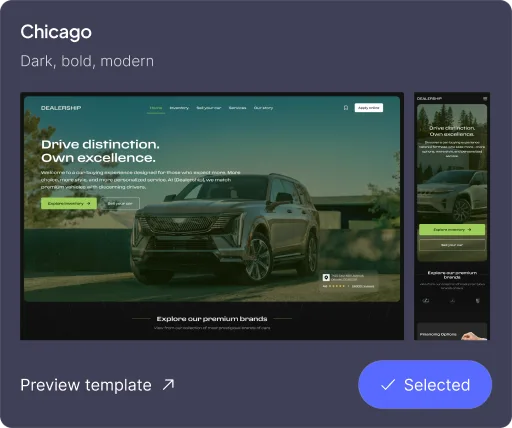
Choose Your Dealership Website
Launch a website built specifically for selling cars — not for designers.
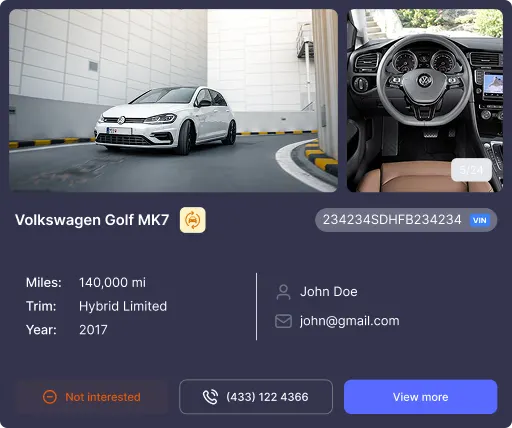
Connect Your Inventory
Sync your DMS and keep inventory updated automatically.
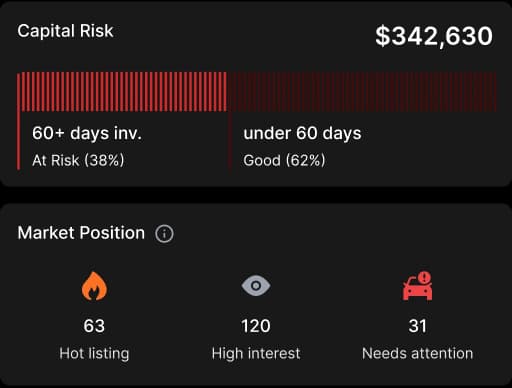
Capture & Track Leads
Every form submission is saved, tracked, and organized in one dashboard.
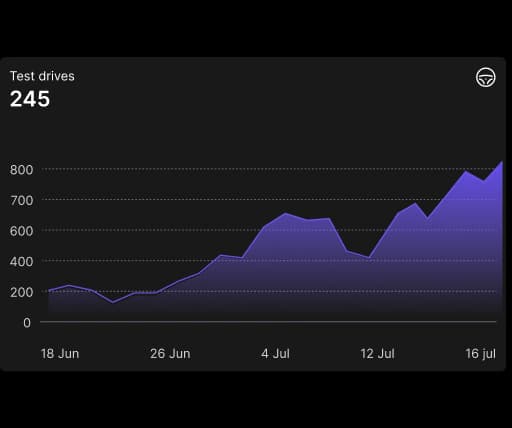
Optimize Performance
DealerAssist includes built-in insights to help you improve results.
Live inventory pages

Lead capture and tracking

Hosting and performance handled

Mobile-ready design

SEO-friendly page structure

Help with setup and onboarding

Live inventory pages
Lead capture and tracking
Hosting and performance handled
Mobile-ready design
SEO-friendly page structure
Help with setup and onboarding
What You Get On Day One
Nothing extra to install. Nothing to manage separately.
Common questions dealers ask
Still have a question? Get in touch with us and let's discuss it.
How long does it take to launch my website?
Most dealerships go live the same day. Add your logo, choose a template, review your inventory, and publish.
What do I need to get started?
Your dealership name, logo, contact details, and basic business information. Inventory can be auto-fetched, so no manual uploads are required.
Do I need a DMS to use DealerAssist?
No. You can launch without a DMS. Inventory is auto-fetched so your site works from day one. If you connect a DMS later, pricing and vehicle data sync automatically.
How does inventory stay updated?
Inventory updates automatically through marketplace data or DMS integration. Vehicle details and pricing stay current without manual work.
Where do website leads go?
All forms feed into your DealerAssist dashboard. You can view, track, and respond to every lead in one place.
Can I track visits and performance?
Yes. Your dashboard shows site visits, lead volume, and inventory count. You can also connect GA4, GTM, and Meta Pixel.
Can I make changes after my site goes live?
Yes. You can edit headlines, update banners, change promotions, adjust branding, and even switch templates at any time.
Do you provide onboarding support?
Yes. Our team helps with setup, verifies DMS connections if needed, and makes sure your site launches correctly.
What happens after launch?
You manage everything from your dashboard. Inventory, leads, content updates, and performance tracking.

Ready To See How It Works?
Book a demo to see DealerAssist in action, or view templates first.